Textile Quality Operations Platform
The control tower for textile quality operations.
Plan inspections in the dashboard, guide every field control on tablet, calculate the AQL decision and keep every report, photo and defect connected.
Shown with actual Digi-QAL product screens and sample workspace data.
The platform
One operational thread from brief to decision.
Digi-QAL joins the web control room and DQAL Rapport field app around one report lifecycle: prepare, inspect, validate and learn.
Prepare and orchestrate.
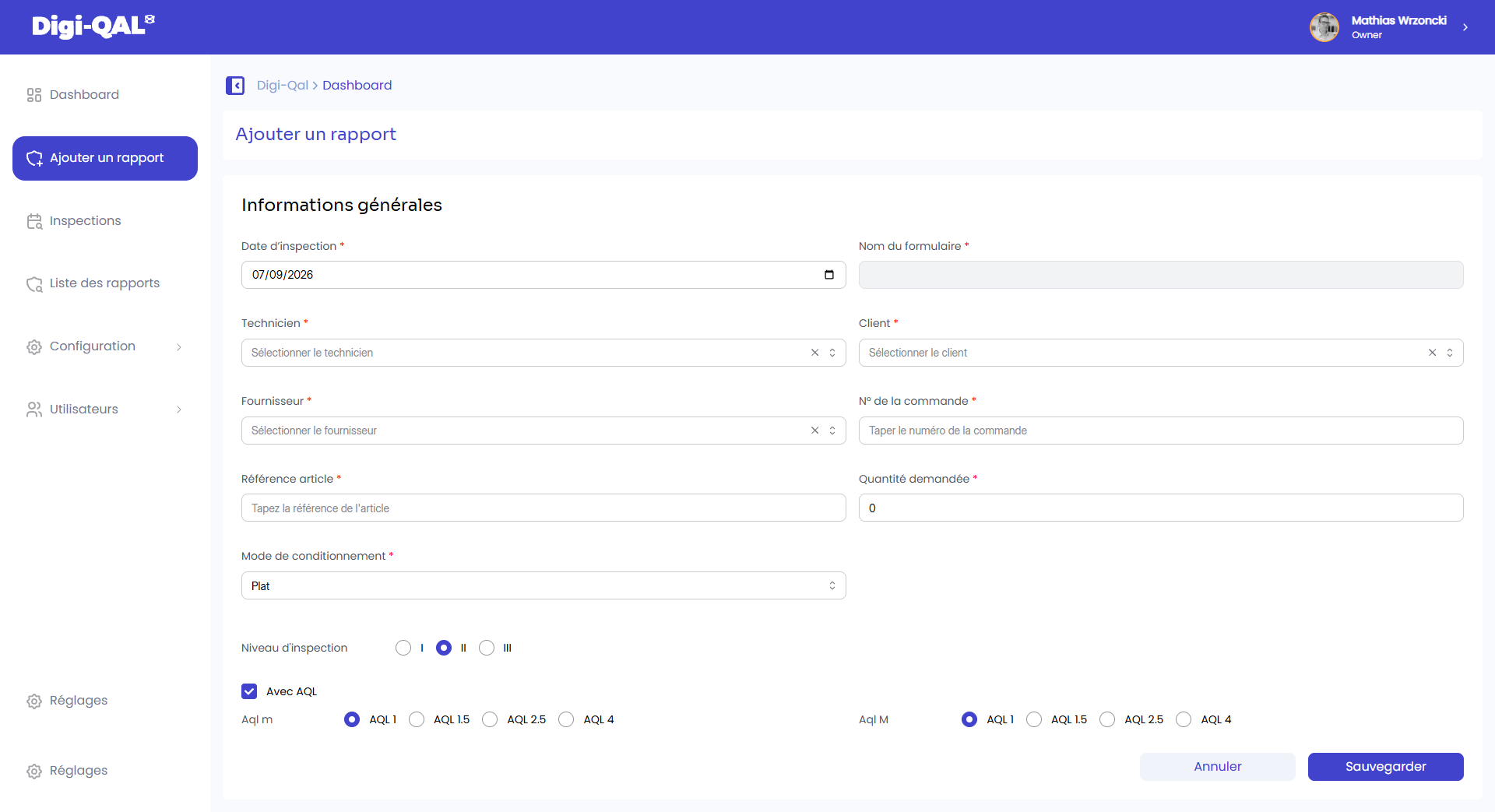
Create a report with the client, supplier, order, article, quantity, packaging mode, inspection level and AQL.
See report setup →Guide eight field steps.
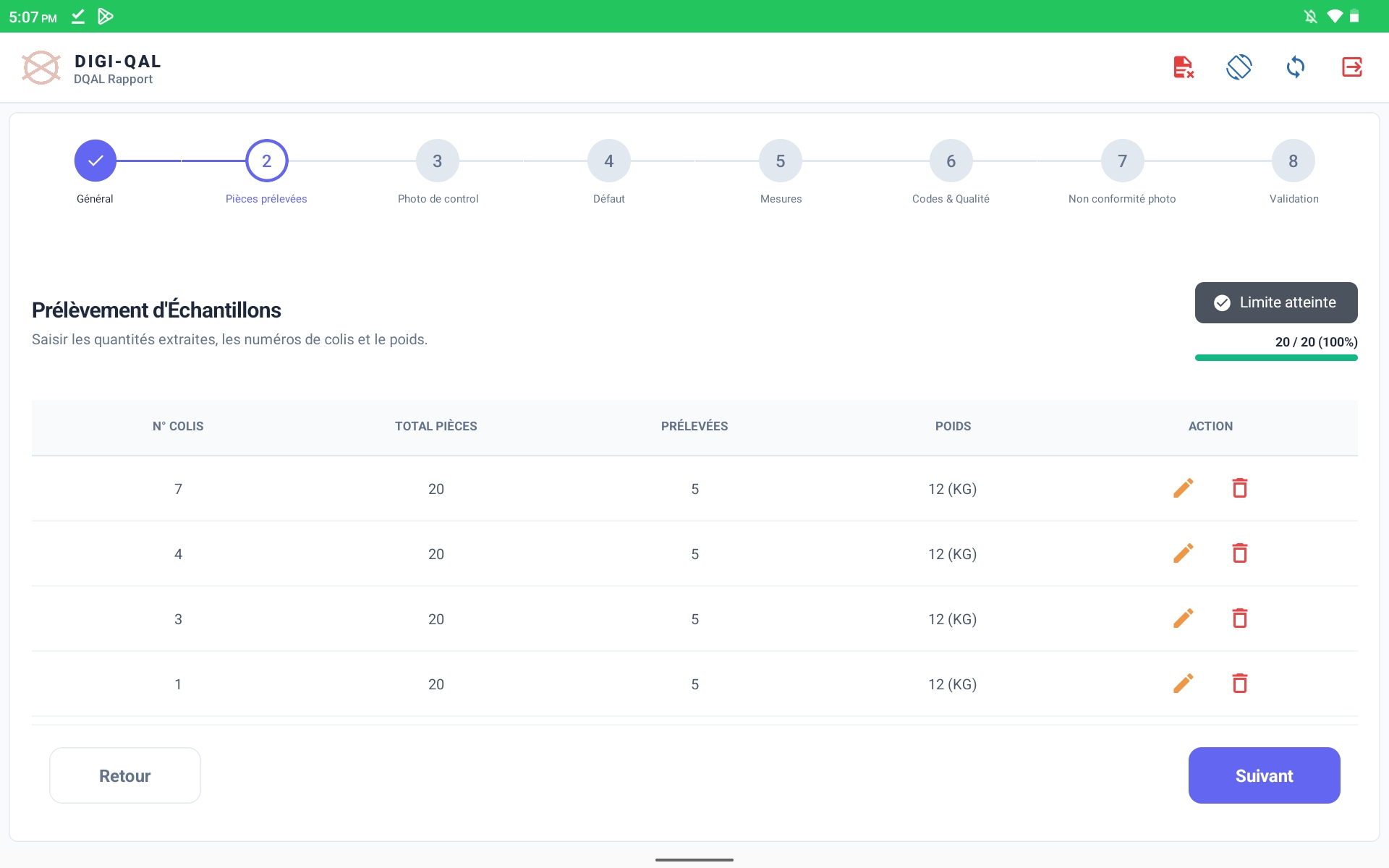
Context, sampling, required photos, defects, measurements, care codes, non-conformity evidence and validation.
Open the tablet tour →See queues, patterns and decisions.
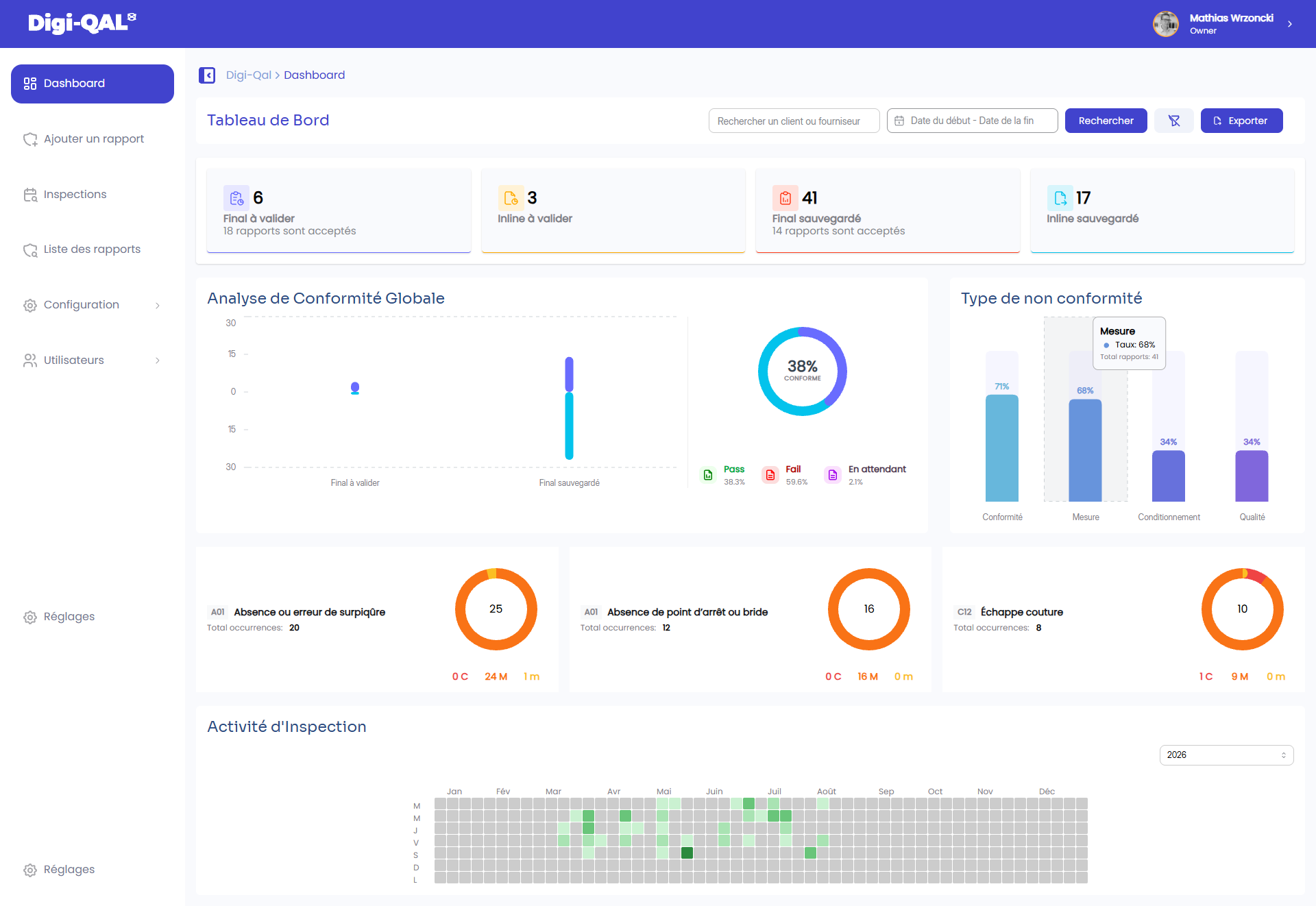
Monitor report status, global conformity, non-conformity categories, recurring defects and inspection activity.
Explore intelligence →Inspect
Field control that makes completeness visible.
The inspector sees the full eight-step path, the evidence still required and the exact article context. In the sample final inspection, 20 of 20 pieces are sampled before moving forward.
Context attached
Client · Supplier · Order · Article
Evidence in sequence
Technical documents, cartons, photos, defects, measures and care codes.
Report
Prepare, complete and review one connected report.
Each report keeps client, supplier, order, article, date and status together—ready to continue on tablet or review from the dashboard.
Quality Intelligence
Read the operation exactly as it is.
The dashboard combines report queues, pass/fail distribution, conformity categories, recurring defects and a calendar of inspection activity. Filters by client, supplier and date keep the analysis actionable.
AQL Decision Support
Configure once. Apply consistently in the field.
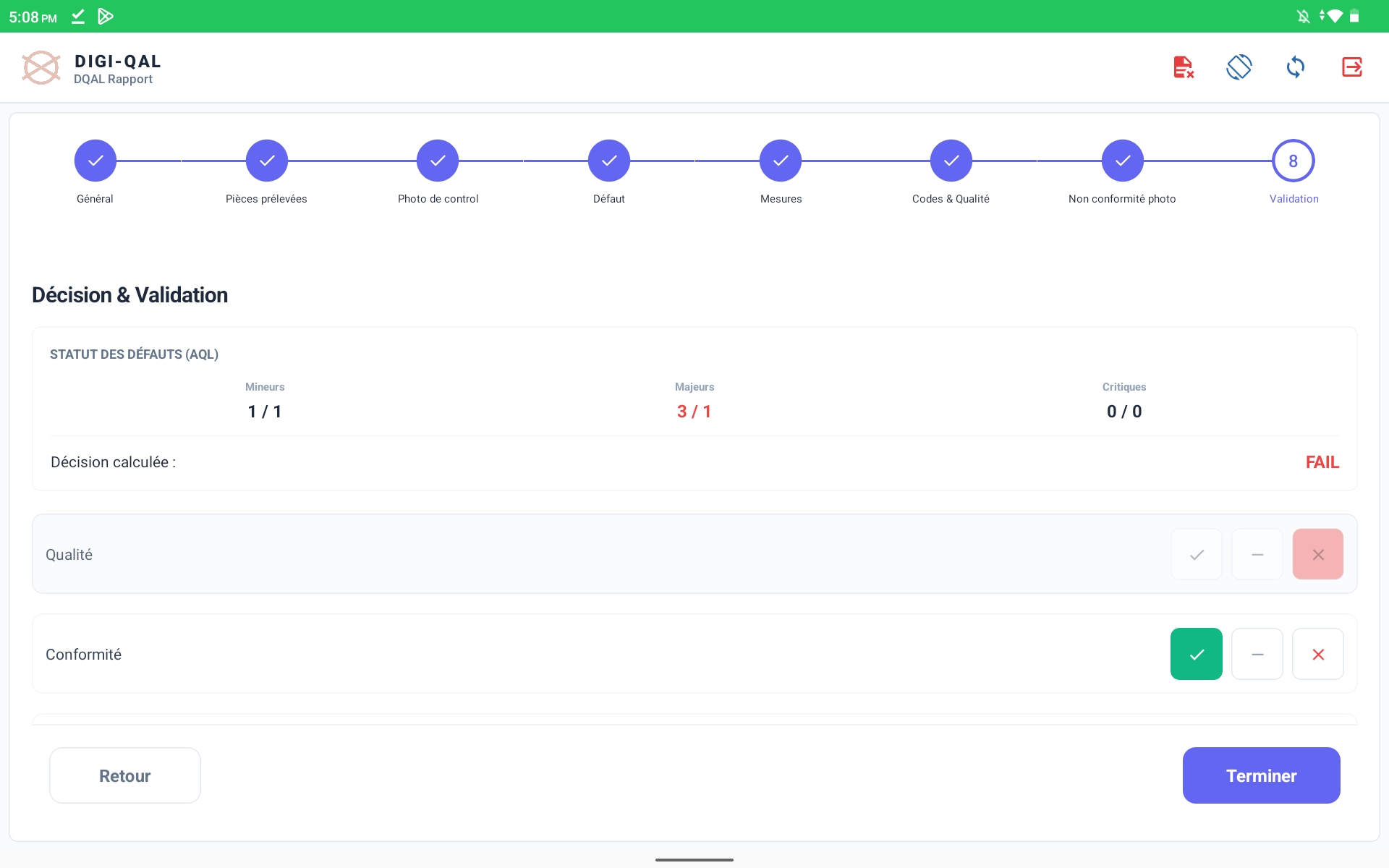
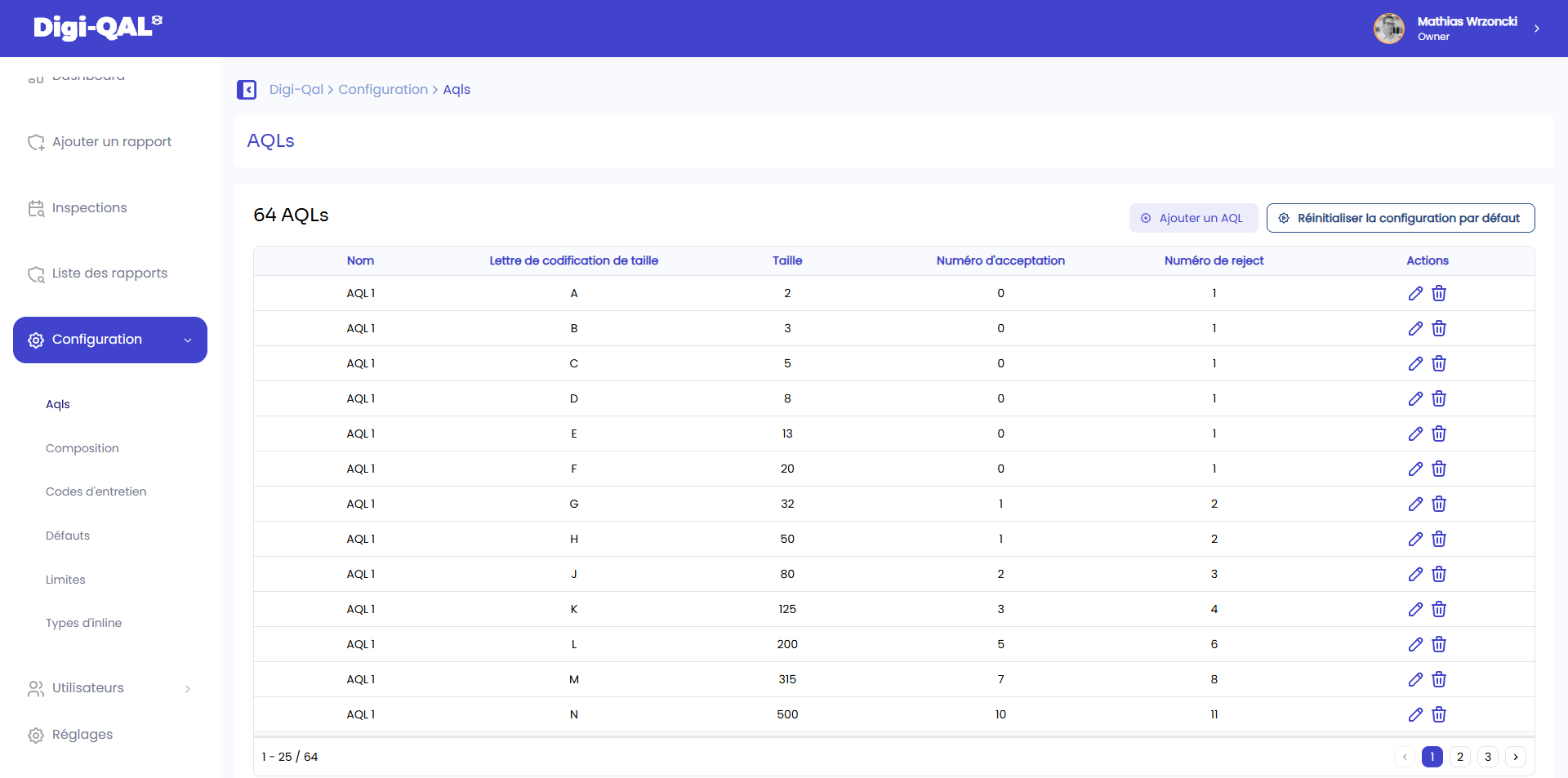
Digi-QAL stores code letters, sample sizes and acceptance/rejection numbers, then compares the observed minor, major and critical defects at validation.
32 · Ac 1 · Re 2
Visible AQL 1.0 configuration
500 · Ac 10 · Re 11
Visible AQL 1.0 configuration
Supplier benchmarking
Benchmark your network on your own standards.
Each organization evaluates its supplier network privately, using normalized inspection data and quality criteria it governs. Demonstration identities are never presented as a universal benchmark.
Use cases
One record. Different operational views.
Brands, suppliers and inspectors work from the same client, order, article, evidence and decision—without needing the same interface.
See every supplier report state.
Review final reports by client, supplier, order, article, date and decision.
Explore the brand view →Act on classified defects.
Keep images and minor, major, critical counts ready for corrective action.
Explore the factory view →Enforce the complete checklist.
Reference sample, lab-dip, measurement table and bill of materials stay visible in the flow.
Explore the quality view →Visible sample result
Make hard quality facts impossible to miss.
sampled pieces reached
major defects vs AQL limit
calculated final decision
Founding team
Textile expertise, operations and growth.
Digi-QAL is built by a team that understands quality control from the factory floor to international brand operations.
SL
Sondess Lazrek
Co-founderQC & Textile Expert
BT
Belgacem Toumi
Co-founderOperations & Strategy
MW
Mathias Wrzoncki
CEOBusiness Development
See the real Digi-QAL workflow
Bring your quality operation into one view.
We will walk through report setup, the eight-step tablet inspection, AQL validation and dashboard review with your own operating questions in mind.
Book a demo →