Solutions by role

One report record. The right view for every team.

Brands review the network, suppliers act on defects and quality teams enforce the inspection standard—all from the same client, order, article, evidence and decision.

01 / Network control

Review every final-report status.

Search by article, client, supplier, date and decision. Separate work still pending, requiring correction or already validated.

  • Client and supplier in every row
  • Decision and inspection date visible
  • Review and export actions in context
02 / Corrective action

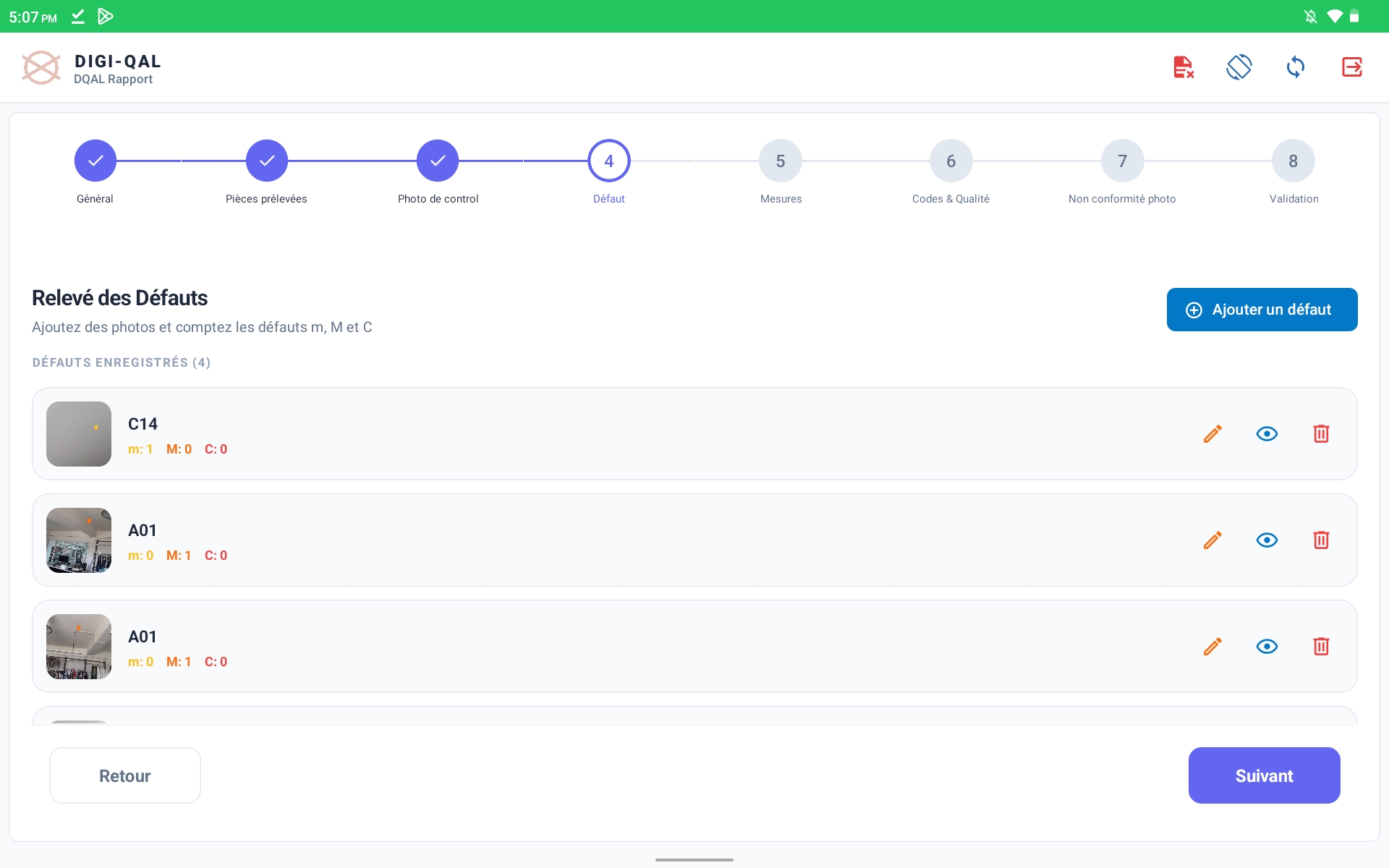
See the defect, class and count.

DQAL Rapport keeps each defect image with its code and minor, major or critical totals, ready for focused correction.

  • Defect photo attached
  • Minor / major / critical classification
  • Edit, review and delete actions
03 / Standard execution

Make every required check explicit.

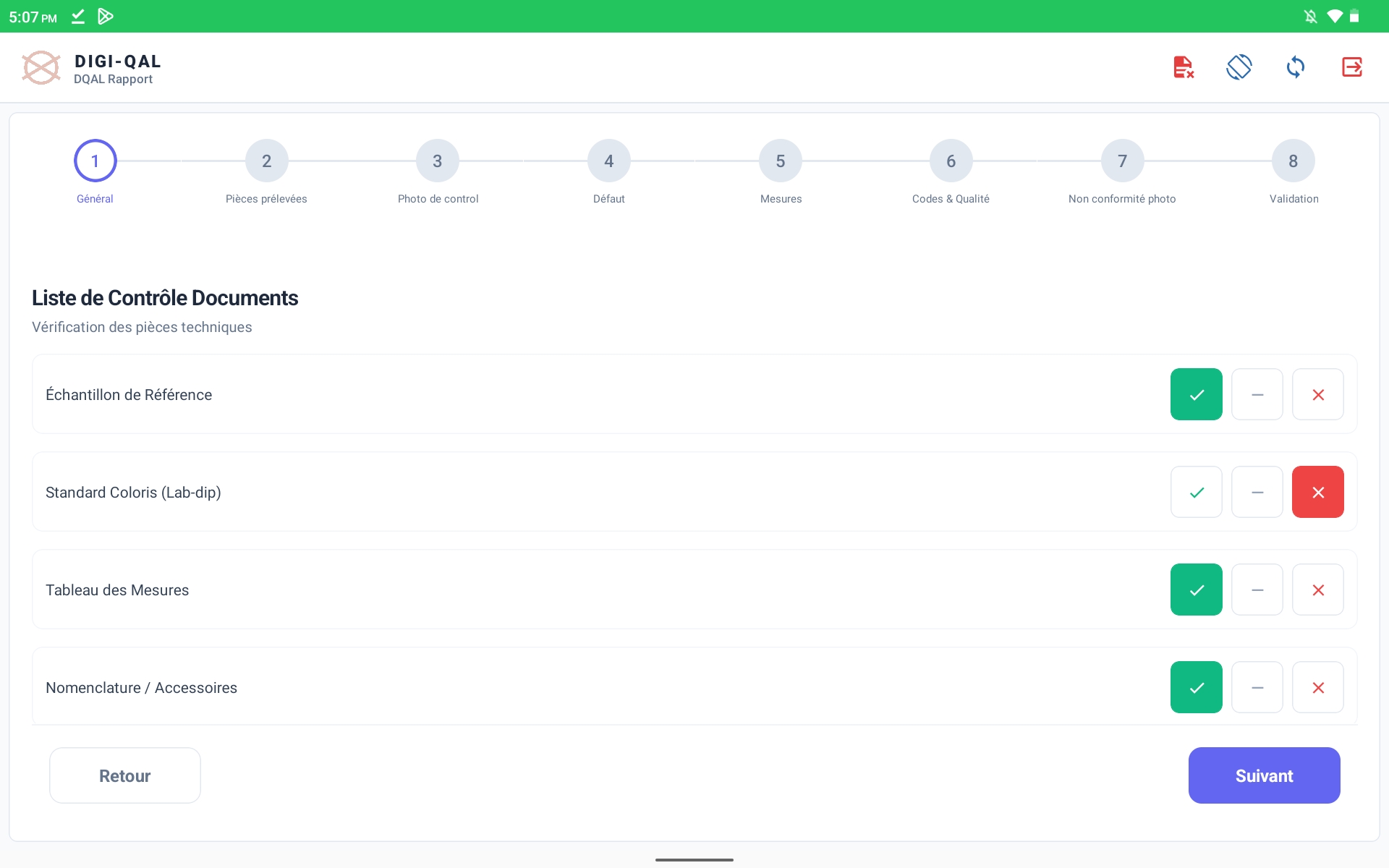
Reference sample, lab-dip, measurement table, BOM, sampled cartons and care-code symbols live inside the inspection sequence.

  • Document check with yes / N/A / no
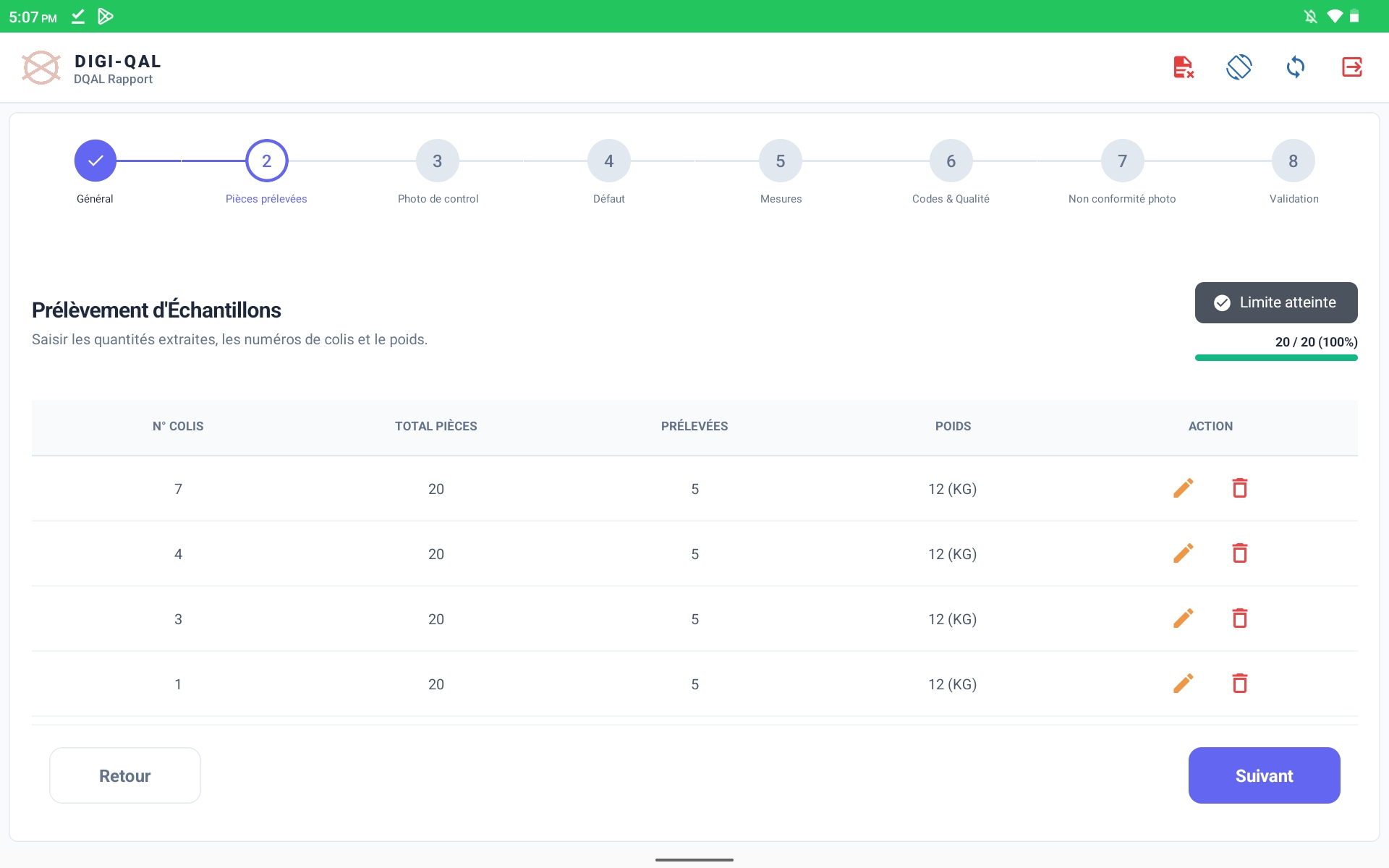
  • Sample progress against target
  • AQL decision at final validation
For brands & retailers

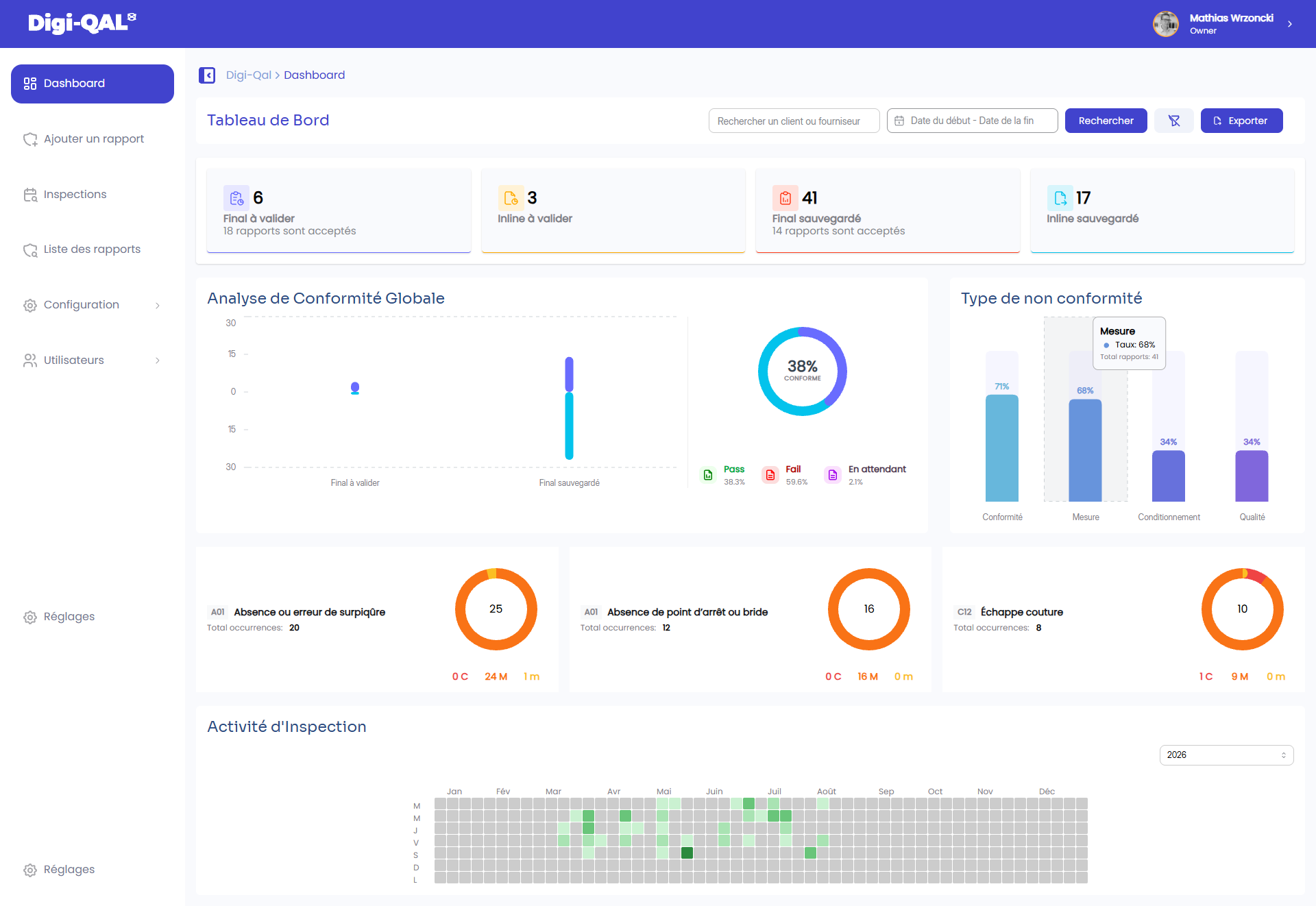
A live view of the quality operation.

Each workspace keeps its own brand and supplier network private while bringing report progress, inspection outcomes and recurring issues into one operational view.

01

Filter the operation

By inspection date, report type, article and order.

02

Keep the decision visible

PASS, FAIL or still awaiting review.

Digi-QAL quality operations dashboard
Operational portfolioActivity · Conformity · Decisions
For factories & suppliers

Correct from the evidence, not from a summary.

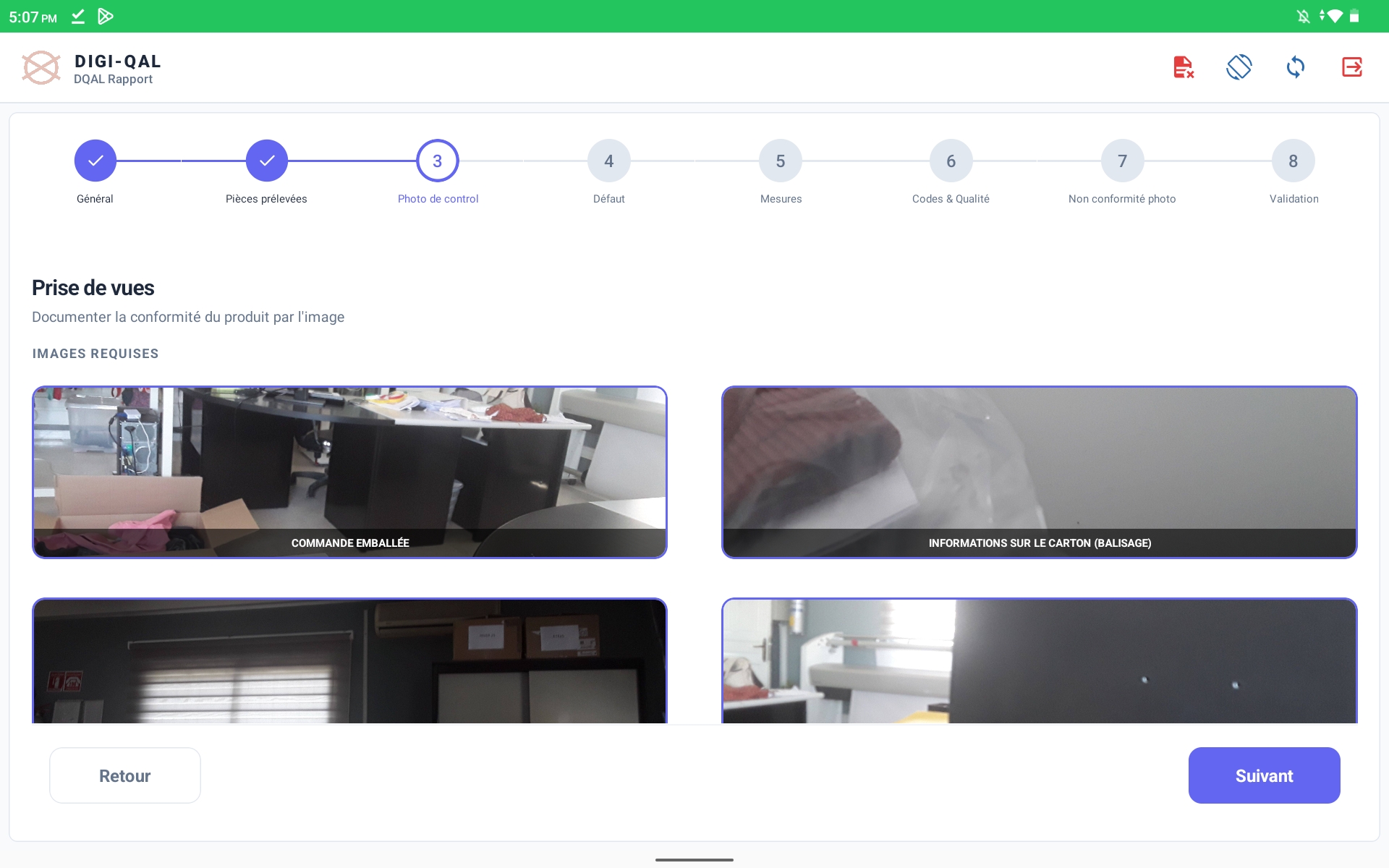
Photos captured during control stay next to defect codes and severity counts, preserving exactly what the inspector saw.

Required image capture screen in DQAL Rapport
Required viewsPacked order and carton markings
Defect record list in DQAL Rapport
Classified findingsC14 · A01 · m / M / C
For quality teams

Turn the control plan into visible field steps.

The app prevents the checklist from disappearing into a PDF: technical documents, sample target, measurement proof and care codes are each part of the guided path.

Technical document checklist
Documents4 explicit checks
Sampling target screen
Sampling20 / 20 · 100%
Measurement evidence screen
MeasuresCaptured evidence
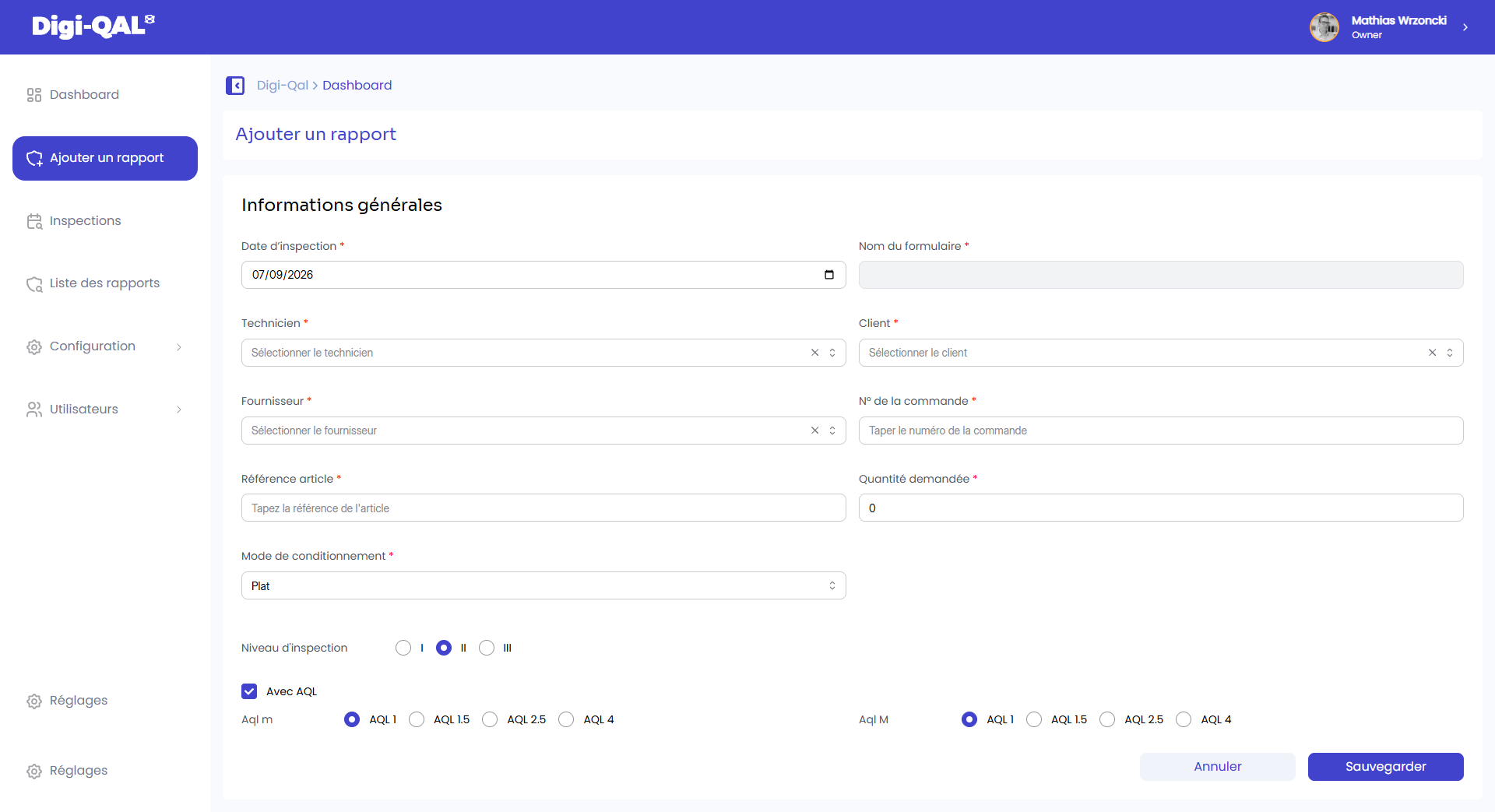
Digi-QAL report context setup with empty identity fields
Shared operational contextReport · Order · Article · AQL
Same truth, every role

The article context travels with the inspection.

Delivery date, product category, season, order reference and inspection rules remain attached to the record from setup through field validation—without exposing demonstration identities.

Find your operating view

See the same workflow through your team’s priorities.

We will tailor the demo around your brands, suppliers, inspection stages and decision owners.

Book a demo →